
Salesforce Stakeholder Impact Report
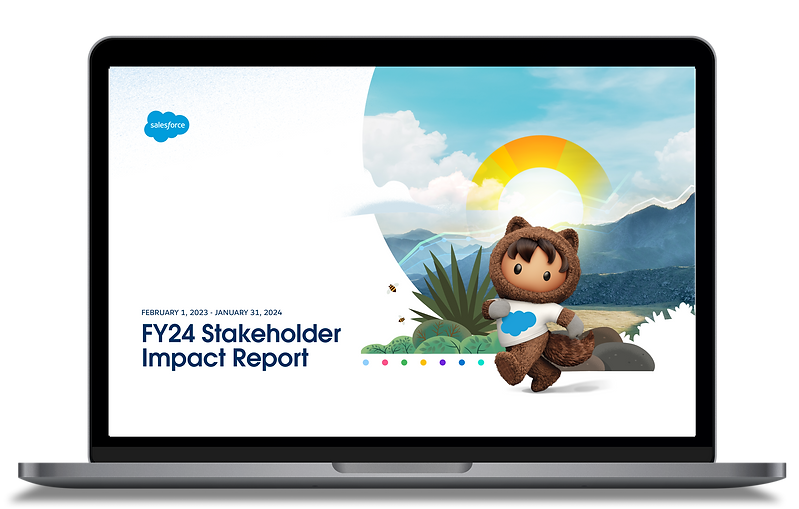
Salesforce's annual stakeholder report covers five chapters, 67 pages, and a year's worth of ESG commitments. I designed the complete visual system — section covers, custom data visualizations, and editorial layouts — so a dense document felt like something people actually wanted to open.
Each chapter has its own color identity and layout logic, while sharing a framework that holds it all together. FY24 was year two — I'd designed the FY23 digital experience first, which meant I knew exactly where the design needed to go further.
ROLE
UX / Visual Designer (sole designer)
TEAM
Creative Director, 15+ Salesforce stakeholders
TIMELINE
2024 · 1 month
TOOLS
Figma
AGENCY
Launch Interactive

THE CHALLENGE
One Report.
Five Different Stories.
Salesforce's stakeholder report covers greenhouse gas emissions, global equality data, AI ethics, philanthropy, and governance — all in one document, for an audience of investors, employees, partners, and the public. Each chapter has different data density, visual requirements, and an emotional register. The challenge wasn't making it look good. It was making all seven chapters feel like they belonged to the same document.
THE SYSTEM
Five Identities.
One Framework.
Each chapter got its own color — Planet is deep green, People is crimson, Technology is purple — so readers feel the shift between sections without needing to read the header. But every chapter shares the same grid, type system, and component logic. Nothing was rebuilt from scratch; everything was adapted.
The Salesforce mascot, Astro, appears throughout — but never generically. Each chapter gets a contextually themed version: Astro holding a plant for Planet, sitting in an office chair for Technology. It's a small detail that signals intent across 67 pages.


KEY DECISION
Navigation as Orientation
In a 67-page document, readers get lost. The solution wasn't a better table of contents — it was building navigation into every single page. A global top nav tracks which chapter you're in. A sub-nav within each chapter shows where you are within that section. At any point, you know exactly where you are and where you can go.
That two-level system is what makes the document feel navigable, not just long.
OUTCOMES
Brought back for year two.
Brought back for year two.
2nd
Stakeholders aligned in 1 month
15+
Designed FY23 as a web experience; Salesforce brought me back for FY24 as an interactive PDF.
One system, one color per chapter, carried from the nav to the table of contents to every section.
Sole designer; the creative director finished the interactions after handoff.
DESIGN TRADEOFF
CHOSE
Unity
over
TRADED AWAY
Variety
Each chapter could have had its own design language. That would have made 67 pages feel like five separate reports. Instead, one shared system carries them all, and each chapter gets its own color, from the nav to every section header.


